'%3e%3cpath%20d='M31.96%2042.4211V31.2583H35.3337L35.8398%2026.9067H31.96V24.1288C31.96%2022.8693%2032.2738%2022.011%2033.9025%2022.011L35.9764%2022.01V18.1178C35.6177%2018.066%2034.3866%2017.9474%2032.9537%2017.9474C29.9616%2017.9474%2027.9132%2019.975%2027.9132%2023.6978V26.9067H24.5293V31.2583H27.9132V42.4211H31.96Z'%20fill='white'/%3e%3c/g%3e%3cdefs%3e%3cclipPath%20id='clip0_820_4965'%3e%3crect%20width='22.8941'%20height='24.4737'%20fill='white'%20transform='translate(19.6235%2017.9474)'/%3e%3c/clipPath%3e%3c/defs%3e%3c/svg%3e)
'%3e%3cpath%20d='M36.9363%2019.0706H25.6868C22.0255%2019.0706%2019.0469%2022.0424%2019.0469%2025.6954V36.9196C19.0469%2040.5724%2022.0255%2043.5442%2025.6868%2043.5442H36.9365C40.5976%2043.5442%2043.5762%2040.5724%2043.5762%2036.9196V25.6954C43.5762%2022.0424%2040.5976%2019.0706%2036.9363%2019.0706ZM31.3116%2037.9992C27.6132%2037.9992%2024.6045%2034.9973%2024.6045%2031.3074C24.6045%2027.6174%2027.6132%2024.6156%2031.3116%2024.6156C35.0099%2024.6156%2038.0186%2027.6174%2038.0186%2031.3074C38.0186%2034.9973%2035.0099%2037.9992%2031.3116%2037.9992ZM38.179%2026.1937C37.0861%2026.1937%2036.1972%2025.3068%2036.1972%2024.2163C36.1972%2023.1259%2037.0861%2022.2388%2038.179%2022.2388C39.272%2022.2388%2040.161%2023.1259%2040.161%2024.2163C40.161%2025.3067%2039.2719%2026.1937%2038.179%2026.1937Z'%20fill='white'/%3e%3cpath%20d='M37.8527%2023.9653C37.402%2023.9653%2037.0352%2024.3315%2037.0352%2024.7811C37.0352%2025.2308%2037.402%2025.5969%2037.8527%2025.5969C38.3036%2025.5969%2038.6704%2025.2311%2038.6704%2024.7811C38.6704%2024.3312%2038.3036%2023.9653%2037.8527%2023.9653Z'%20fill='white'/%3e%3cpath%20d='M27.2234%2031.3073C27.2234%2029.0581%2029.0575%2027.2284%2031.3116%2027.2284C33.5659%2027.2284%2035.3999%2029.0581%2035.3999%2031.3073C35.3999%2033.5564%2033.5659%2035.3863%2031.3116%2035.3863C29.0575%2035.3863%2027.2234%2033.5564%2027.2234%2031.3073Z'%20fill='white'/%3e%3c/g%3e%3cdefs%3e%3cclipPath%20id='clip0_820_4970'%3e%3crect%20width='24.5294'%20height='24.4737'%20fill='white'%20transform='translate(19.0469%2019.0706)'/%3e%3c/clipPath%3e%3c/defs%3e%3c/svg%3e)


Selecting Gaming Equipment Around Your Location’s Workflow
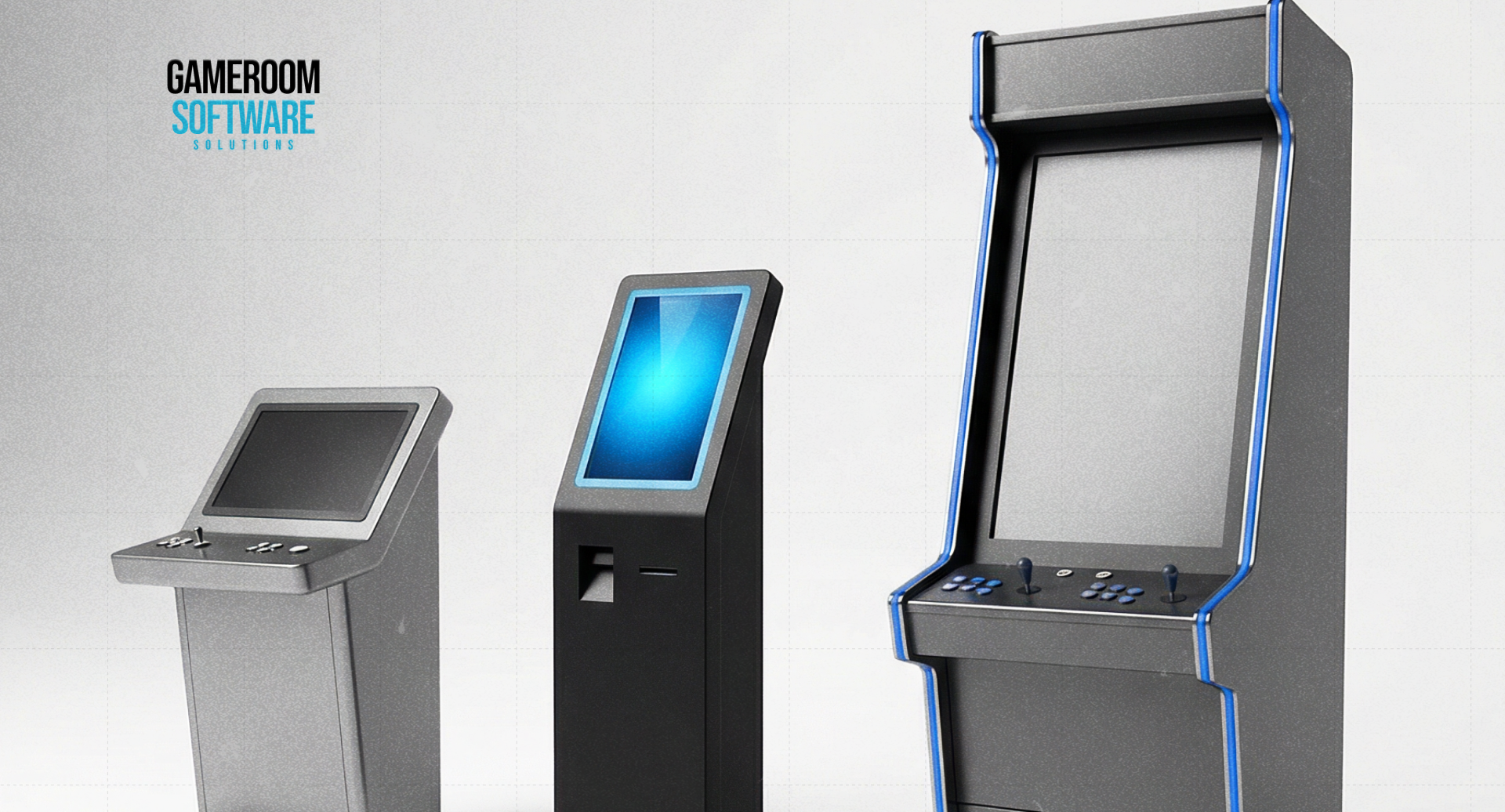
The right gaming equipment package begins with a description of the service the venue will provide. A redemption kiosk, a gaming terminal, and an employee workstation perform different jobs. Decide which jobs need equipment before comparing cabinet styles or package prices.
For an existing store, the setup must also fit around ordinary retail activity. Equipment that occupies little floor space can still create a queue, require service clearance, or take staff away from the register. Include those effects in the purchasing decision.
Allocate Functions to the Right Equipment
A service kiosk may handle supported account or transaction requests. Evaluate what it actually does in the quoted configuration and what remains with staff. Self-service should describe verified functions, not an assumption that every customer request is automated.
A gaming station provides access to supported software through a computer or terminal. Its requirements concern the platform, display, controls, and operating environment. A workstation that appears suitable in a photograph still needs a technical compatibility check.
For employee-led service, identify the computer, printer, or other equipment required by the platform. An existing retail POS terminal is not automatically a gaming administration terminal. Ask what connections are supported before planning to combine those workflows.
Study the Venue During Normal and Busy Periods
In a smoke shop or convenience store, preserve routes to merchandise and checkout. Watch where people wait and where employees move during deliveries or restocking. A proposed station should not rely on space that is available only when the shop is quiet.
Bars, restaurants, and laundromats have different circulation patterns. Consider seating, cleaning, service routes, and how often employees are available. Time spent on-site can inform the proposal, but it does not prove that visitors want the new activity.
A dedicated café needs a room-wide assessment. Include seating, sightlines, station access, and cable routes in the layout. The installation should be maintainable across a full shift rather than merely fitting the maximum number of machines into the room.
Check Delivery, Infrastructure, and Servicing
Obtain dimensions for the quoted cabinet and measure its delivery route. Doorways, turns, stairs, and unloading arrangements may affect installation. Include the space needed to open panels and replace components after the equipment is in position.
Confirm power and connectivity requirements for every item. Establish who provides cables, makes network changes, and checks the connection. Ask which interruptions require the equipment to stop operating and what staff should do while service is unavailable.
Compare kiosk equipment with the proposed gaming system. Request confirmation for the exact pairing. Two products in the same catalog are not necessarily a tested combination, and support for one configuration does not establish compatibility with every alternative.
Request an Itemized Proposal and Handover
Give the supplier the venue type, selected functions, existing equipment, and installation constraints. Ask for included items and options to be separated clearly. This makes it easier to compare proposals that otherwise use similar package descriptions.
Review installation, staff guidance, warranty coverage, consumables, and repair arrangements. Identify what the supplier performs and what the business must organize. A purchase price cannot be assessed properly while recurring service duties remain undefined.
At delivery, compare the equipment and configuration against the accepted order. Demonstrate the intended staff tasks and record missing items or incomplete connections. Keep instructions and support contacts where the employees responsible for the equipment can find them. Acceptance should reflect an operable setup, not just successful delivery of the cabinet.
FAQ
How does a kiosk differ from a gaming station?
A kiosk provides the service functions supported by its configuration, while a gaming station provides access to games. The business may need one or both. Let the intended workflow determine the purchase and verify how any combined equipment works together.
What information helps a supplier prepare a useful quote?
Provide the venue layout, available equipment, proposed platform, staff workflow, power and network conditions, and delivery constraints. Identify required functions and service expectations. This gives the supplier a concrete basis for separating included items from optional or independently supplied components.
Can the store reuse its current cashier equipment?
Only if the equipment supports the required platform tasks and connections. Supply its specifications and ask for confirmation. Existing receipt printers or POS systems should not be assumed compatible merely because they already support the store’s retail transactions.
Send GameRoom Software your venue requirements to discuss equipment that matches the work the location needs to perform.